Introduction
As AI workloads grow, deploying powerful multi-GPU clusters seems like the obvious path to faster insights and competitive advantage. Yet most AI/ML teams can't fully utilize their GPUs — only 7% achieve over 85% utilization during peak periods, wasting millions of dollars on idle hardware.
The real bottleneck isn't GPUs or CPUs—it's storage. When storage can't feed data fast enough, GPUs sit idle, becoming costly inefficiencies that waste both precious development time and expensive hardware resources.
Optimal storage throughput is necessary for maximizing multi-GPU performance in on-premises AI systems. When storage systems cannot feed data to GPUs at the rate they can process it, even the most advanced hardware becomes a costly paperweight rather than a competitive advantage.
TL;DR
- Most AI teams achieve less than 85% GPU utilization because storage can't feed data fast enough to the GPUs
- The bottleneck isn't your GPUs—it's storage throughput
- This guide covers optimal storage architectures for:
- AI workstations: local NVMe with RAID
- Multi-GPU servers: hybrid local + shared storage with GPU-accelerated RAID
- Rack-scale clusters: parallel file systems like WEKA, Vdura, or DDN
- Storage must be designed as part of your AI system, scaled proportionally with GPU count, and continuously monitored to prevent expensive hardware from sitting idle.
.png)
We're Here to Deliver the Tools to Power Your Research
With access to the highest performing hardware, at Exxact, we offer the storage and hardware platforms optimized for your deployment, budget, and desired performance.
Talk to an Engineer TodayWhy GPUs are So Hungry? Understanding the Storage Bottleneck
Modern AI workloads (e.g., transformer training, 3D-UNet for medical imaging) generate continuous, high-volume I/O that stresses storage far beyond traditional enterprise applications.
- Data Pre-Processing Overhead: Up to 65% of epoch time can be spent on tasks like image transformations, tokenization, or feature engineering. These operations require reading raw data from storage multiple times. When storage can't deliver data fast enough, preprocessing becomes even slower, compounding.
- GPU Starvation: When storage throughput can't match GPU processing speeds, GPUs sit idle waiting for data. Utilization dropping below 90% signals wasted cycles—even brief delays in data delivery cause expensive hardware to waste valuable compute time.
Both bottlenecks trace back to the same root cause: storage systems that can't sustain the throughput demands of modern GPUs. When storage delivers data slower than GPUs can process it, preprocessing tasks take longer, and GPUs spend more time waiting, causing:
- Performance Impact: Training slows down dramatically.
- Economic Impact: Idle GPUs = direct financial losses + delayed model deployment.
- Strategic Impact: Storage bottlenecks undermine expensive GPU investments.
Inference Versus Training Workloads
| Aspect | Training Workloads | Inference Workloads |
| Access Pattern | Sequential dataset reading | Smaller, random access patterns |
| Throughput Needs | High sustained throughput | Lower throughput requirements |
| Latency Needs | Less sensitive to latency | Highly sensitive, benefits from low latency |
| Data Volume | Massive datasets read multiple times during epochs | Individual requests or small batches |
| Predictability | Predictable, repetitive bandwidth demand | Unpredictable, varied access demand |
| Storage Optimization Focus | Optimized for throughput and bandwidth | Optimized for latency and responsiveness |
Storage for GPU Workstations
AI workstations prioritize predictable, high-performance storage with minimal operational complexity. In most cases, this means local storage that delivers dedicated throughput and low latency without the variability of shared infrastructure. At this tier, optimal storage balances speed, capacity, and reliability while remaining easy to deploy and manage.
Local NVMe SSDs
- Predictable, low-latency performance: Local NVMe SSDs eliminate network-induced bottlenecks and provide consistent performance independent of external contention.
- Best suited for: Local inference, rapid model iteration, individual data scientists working with datasets that fit within local capacity, and development environments where reproducible performance is more important than multi-user access.
- Capacity trade-offs: Capacity is limited to the workstation, requiring deliberate dataset curation and external backup strategies for larger or long-lived projects.
RAID Options for Workstations
- RAID 5: Offers a capacity-efficient balance of performance and fault tolerance, making it suitable for workstations storing valuable datasets or training checkpoints with moderate redundancy requirements.
- RAID 10: Prioritizes performance and resiliency, and is well-suited for workloads involving frequent checkpointing or irreplaceable data.
Common Bottlenecks at the Workstation Tier
- Insufficient IOPS is caused by using under-provisioned NVMe devices or consumer-grade SSDs. Deploy enterprise-grade NVMe SSDs with high IOPS ratings (500K+ IOPS) and ensure adequate PCIe lane allocation.
- Inefficient file access patterns occur when frameworks lack proper buffering or caching. To prevent amplifying random I/O overhead, implement data loader optimizations such as increasing num_workers in PyTorch DataLoader, enabling persistent_workers, and using memory-mapped files or caching layers to reduce redundant disk access
Storage for Multi-GPU Servers
Team collaboration on shared infrastructure, medium-scale multi-GPU training, shared model repositories, and production inference serving concurrent users.
Multi-GPU server deployments must balance the performance advantages of local storage with the operational benefits of shared data access. The most effective designs combine both, using hybrid architectures that preserve GPU utilization while enabling collaboration and centralized data management.
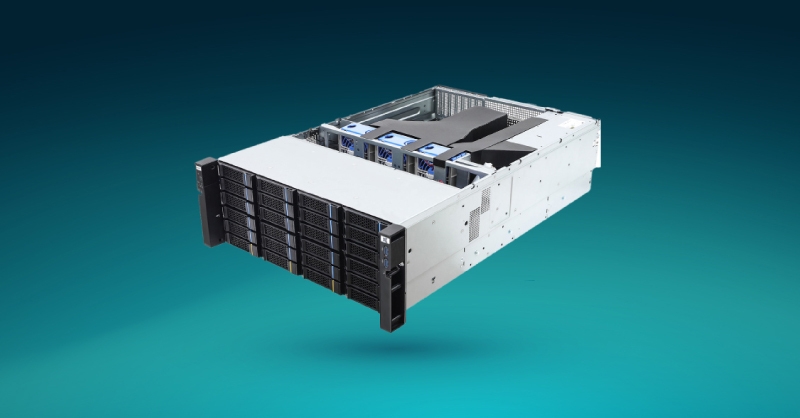
Hybrid Local + Shared Storage Architecture
- Local NVMe for staging and checkpoints: High-speed local NVMe handles checkpoint writes and temporary dataset staging, avoiding unnecessary load on shared storage during I/O-intensive training phases.
- GPU-accelerated RAID: Solutions such as Graid Technology offload RAID processing to a dedicated GPU boasting 10x faster performance than traditional hardware RAID. Graid only works with NVMe storage and offer a dedicated GPU accelerator or software abstraction layer (which utilizes less than 2% of the GPU).
- Shared storage for datasets and collaboration: Centralized datasets and model artifacts eliminate redundant copies across servers and enable consistent access for multiple users and jobs orchestrated by Kubernetes or Slurm. However, reading the same dataset concurrently can introduce some latency.

Other Server Storage Considerations
- POSIX compatibility is critical since most AI frameworks expect standard filesystem semantics. Metadata scalability is equally essential when many GPU processes access large numbers of files simultaneously.
- NVMe-oF: extend NVMe performance across a networking fabric interconnected via Ethernet, fiber, or combination for enabling shared storage with latency and throughput approaching local NVMe. Talk to our engineers more about storage networking.
Common Bottlenecks at the Server Tier
Modern multi-GPU servers move data internally at extremely high speeds via PCIe (and NVLink in HGX and DGX deployments). Storage frequently becomes the limiting factor if not set up properly to accommodate high-throughput operations:
- Network becomes saturated when aggregate GPU demand exceeds storage network capacity. Upgrade to high-speed networking fabrics (100 GbE or InfiniBand) and implement multiple storage network paths to distribute load. Consider dedicated storage networks separate from compute traffic to prevent contention.
- Concurrency limits in traditional network storage platforms are not designed for parallel AI workloads. Consider parallel file systems (like WEKA or VDURA) that handle concurrent access efficiently, or implement local NVMe caching layers to reduce simultaneous requests to shared storage.
Relying solely on traditional NAS for active multi-GPU training often leads to underutilized GPUs and unpredictable job performance. We recommend combining local NVMe for active training with shared storage for datasets and checkpoints, ensuring storage network bandwidth scales proportionally with GPU count.
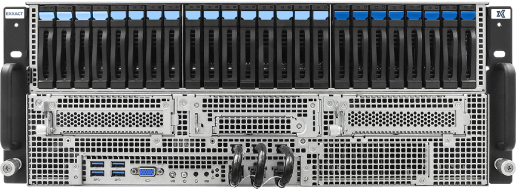
Fueling Innovation with an Exxact Multi-GPU Server
Accelerate your workload exponentially with the right system optimized to your use case. Exxact 4U Servers are not just a high-performance computer; it is the tool for propelling your innovation to new heights.
Configure NowStorage for Rack-Scale AI Clusters
Best fit: Large-scale distributed training across dozens or hundreds of GPUs, enterprise AI platforms with centralized governance, and research or production environments running many concurrent jobs.
At the rack scale, storage must be designed as part of the AI system itself. GPUs, networks, and storage operate as a single performance envelope—if any layer falls behind, GPU utilization drops sharply.
AI-Optimized Parallel Storage Platforms
At this tier, purpose-built parallel storage platforms are required to sustain the aggregate throughput and concurrency demanded by large GPU clusters.
- WEKA delivers a high-performance, software-defined parallel file system optimized for AI and HPC workloads. Its distributed metadata architecture and NVMe-first design support extremely high concurrency and low latency, making it well-suited for large-scale training and inference pipelines.
- VDURA (formerly Panasas) provides a parallel file system designed for data-intensive HPC and AI environments, emphasizing scalable metadata performance and consistent throughput under heavy parallel access patterns.
- DDN offers tightly integrated storage appliances purpose-built for AI and supercomputing workloads. DDN platforms focus on maximizing sustained bandwidth and metadata scalability, and are commonly deployed in some of the world’s largest GPU clusters.
Key point: While these platforms differ architecturally, performance at rack scale depends less on the file system brand and more on how well storage, networking, and GPU pipelines are integrated and tuned together.
| File System | Strengths | Typical Use Cases | Key Considerations |
| WEKA | High-performance software-defined parallel file system; distributed metadata architecture; NVMe-first design with extremely high concurrency and low latency | Large-scale AI training, inference pipelines, and GPU-intensive workloads requiring sustained throughput | Software-defined requires proper hardware selection; performance depends on network fabric quality |
| VDURA (formerly Panasas) | Scalable metadata performance; consistent throughput under heavy parallel access; designed for data-intensive environments | Data-intensive HPC and AI environments, workloads with heavy parallel access patterns | Best suited for workloads with predictable parallel access patterns |
| DDN | Tightly integrated storage appliances; maximizes sustained bandwidth and metadata scalability; deployed in the world's largest GPU clusters | AI and supercomputing workloads, extremely large-scale deployments, and national labs | Appliance-based approach; integration and tuning with GPU pipelines are critical for optimal performance |
Architecture Considerations at Cluster Scale
- Treat storage and GPUs as a unified design problem: Storage must be selected and sized based on GPU count, model size, dataset access patterns, and expected concurrency—not generic capacity metrics.
- Growth plan: Both capacity and throughput must scale as models, datasets, and job parallelism increase.
- Networking fabric is non-negotiable: High-speed interconnects (InfiniBand or 100 GbE+ Ethernet) are required to prevent storage traffic from becoming the dominant bottleneck in distributed training.
Common Bottlenecks at Cluster Scale
- Metadata contention during job startup when thousands of processes simultaneously access files and directories. Use parallel file systems with distributed metadata architectures (like WEKA or Vdura) that can handle concurrent metadata operations, or implement metadata caching strategies to reduce contention.
- Network saturation as aggregate GPU demand exceeds storage fabric or switch capacity. Upgrade to high-speed networking fabrics (100 GbE or InfiniBand) and implement multiple storage network paths to distribute load.
- Insufficient aggregate bandwidth when storage nodes or underlying media cannot sustain cluster-wide read rates. Scale storage capacity proportionally with GPU count, ensuring storage nodes can deliver sufficient aggregate throughput.
Best Practices Across All Deployment Scales
Successful AI storage architecture requires continuous monitoring, realistic benchmarking, and proactive optimization regardless of deployment scale.
- Benchmark GPU utilization regularly using tools like NVIDIA Data Center GPU Manager (DCGM) or nvidia-smi to identify I/O-related performance bottlenecks before they impact production training jobs. Regular monitoring helps distinguish between compute-bound and I/O-bound workloads, enabling targeted optimization efforts.
- Monitor storage throughput under realistic workloads rather than relying solely on synthetic benchmarks that may not reflect actual AI training patterns. Real workload testing should include concurrent multi-GPU access, typical batch sizes, and actual dataset characteristics to identify performance limitations.
- Design data pipelines that match model I/O patterns by implementing appropriate caching, prefetching, and data loading strategies. Sequential prefetching works well for training workloads with predictable access patterns, while parallel random read optimization benefits inference workloads with unpredictable access requirements.
- Match storage solutions to specific workload characteristics: Inference workloads benefit from low-latency storage optimized for random access, while training workloads require high sustained throughput for sequential dataset reading. Understanding workload characteristics drives appropriate storage architecture decisions.
- Implement monitoring and alerting for storage performance metrics, including throughput, latency, queue depth, and error rates. Proactive monitoring identifies storage degradation before it impacts GPU utilization and training job completion times.
FAQ About AI Storage Infrastructure
Why are my GPUs not fully utilized even though they're powerful enough for my workload?
Storage bottlenecks are the most common cause. When storage can't deliver data fast enough, GPUs sit idle waiting. If utilization drops below 90%, storage throughput is likely the limiting factor.
What storage throughput do I need for multi-GPU training?
It depends on your GPU count, batch size, and data preprocessing requirements. As a baseline, each modern GPU can consume 1-5 GB/s during training. An 8-GPU system may require 10-40 GB/s aggregate storage throughput to avoid bottlenecks.
Do I need a parallel file system like WEKA, VDURA, or DDN?
Only at rack scale (dozens or hundreds of GPUs). For workstations and small multi-GPU servers, local NVMe or NVMe-oF shared storage is sufficient. Parallel file systems become necessary when aggregate throughput demands exceed what traditional storage can deliver.
Should I upgrade my GPUs or my storage first?
If your current GPU utilization is below 90%, upgrade storage first. Adding more GPUs to a storage-bottlenecked system wastes money. Storage optimization often delivers better ROI than additional GPU capacity.
Conclusion: The True Cost of Ignoring Storage
The cost of idle GPUs represents too significant a financial impact to ignore storage infrastructure requirements in AI deployments. Even top-tier GPU hardware consistently underperforms without efficient, purpose-built storage backends capable of sustained high-throughput data delivery. A $50,000 GPU cluster operating at 50% utilization due to storage bottlenecks provides less value than a smaller, properly fed cluster running at 90% utilization.
Take action now. Benchmark your existing I/O pipeline using tools like iostat, iotop, or NVIDIA DCGM to identify hidden storage bottlenecks before expanding GPU capacity. Even modest storage infrastructure improvements deliver dramatic GPU utilization gains at a fraction of the cost of additional GPU hardware.
GPUs have the spotlight in the computing era. Let Exxact enable your business to leverage your GPU compute with appropriate supporting components for your architecture and we will help configure, validate, and deliver a balanced, well-oiled, and reliable storage solution alongside your compute.
.png)
Equip your Computing Infrastructure with Dedicated Storage Platform
Pair your Exxact storage hardware with enterprise storage platform solutions for parallel file storage, object file storage, and many more. Exxact has partnerships with WEKA, VDURA, DDN, and more.
Talk to an Engineer Today

How You Feed Your GPUs is the Real AI Bottleneck
Introduction
As AI workloads grow, deploying powerful multi-GPU clusters seems like the obvious path to faster insights and competitive advantage. Yet most AI/ML teams can't fully utilize their GPUs — only 7% achieve over 85% utilization during peak periods, wasting millions of dollars on idle hardware.
The real bottleneck isn't GPUs or CPUs—it's storage. When storage can't feed data fast enough, GPUs sit idle, becoming costly inefficiencies that waste both precious development time and expensive hardware resources.
Optimal storage throughput is necessary for maximizing multi-GPU performance in on-premises AI systems. When storage systems cannot feed data to GPUs at the rate they can process it, even the most advanced hardware becomes a costly paperweight rather than a competitive advantage.
TL;DR
- Most AI teams achieve less than 85% GPU utilization because storage can't feed data fast enough to the GPUs
- The bottleneck isn't your GPUs—it's storage throughput
- This guide covers optimal storage architectures for:
- AI workstations: local NVMe with RAID
- Multi-GPU servers: hybrid local + shared storage with GPU-accelerated RAID
- Rack-scale clusters: parallel file systems like WEKA, Vdura, or DDN
- Storage must be designed as part of your AI system, scaled proportionally with GPU count, and continuously monitored to prevent expensive hardware from sitting idle.
.png)
We're Here to Deliver the Tools to Power Your Research
With access to the highest performing hardware, at Exxact, we offer the storage and hardware platforms optimized for your deployment, budget, and desired performance.
Talk to an Engineer TodayWhy GPUs are So Hungry? Understanding the Storage Bottleneck
Modern AI workloads (e.g., transformer training, 3D-UNet for medical imaging) generate continuous, high-volume I/O that stresses storage far beyond traditional enterprise applications.
- Data Pre-Processing Overhead: Up to 65% of epoch time can be spent on tasks like image transformations, tokenization, or feature engineering. These operations require reading raw data from storage multiple times. When storage can't deliver data fast enough, preprocessing becomes even slower, compounding.
- GPU Starvation: When storage throughput can't match GPU processing speeds, GPUs sit idle waiting for data. Utilization dropping below 90% signals wasted cycles—even brief delays in data delivery cause expensive hardware to waste valuable compute time.
Both bottlenecks trace back to the same root cause: storage systems that can't sustain the throughput demands of modern GPUs. When storage delivers data slower than GPUs can process it, preprocessing tasks take longer, and GPUs spend more time waiting, causing:
- Performance Impact: Training slows down dramatically.
- Economic Impact: Idle GPUs = direct financial losses + delayed model deployment.
- Strategic Impact: Storage bottlenecks undermine expensive GPU investments.
Inference Versus Training Workloads
| Aspect | Training Workloads | Inference Workloads |
| Access Pattern | Sequential dataset reading | Smaller, random access patterns |
| Throughput Needs | High sustained throughput | Lower throughput requirements |
| Latency Needs | Less sensitive to latency | Highly sensitive, benefits from low latency |
| Data Volume | Massive datasets read multiple times during epochs | Individual requests or small batches |
| Predictability | Predictable, repetitive bandwidth demand | Unpredictable, varied access demand |
| Storage Optimization Focus | Optimized for throughput and bandwidth | Optimized for latency and responsiveness |
Storage for GPU Workstations
AI workstations prioritize predictable, high-performance storage with minimal operational complexity. In most cases, this means local storage that delivers dedicated throughput and low latency without the variability of shared infrastructure. At this tier, optimal storage balances speed, capacity, and reliability while remaining easy to deploy and manage.
Local NVMe SSDs
- Predictable, low-latency performance: Local NVMe SSDs eliminate network-induced bottlenecks and provide consistent performance independent of external contention.
- Best suited for: Local inference, rapid model iteration, individual data scientists working with datasets that fit within local capacity, and development environments where reproducible performance is more important than multi-user access.
- Capacity trade-offs: Capacity is limited to the workstation, requiring deliberate dataset curation and external backup strategies for larger or long-lived projects.
RAID Options for Workstations
- RAID 5: Offers a capacity-efficient balance of performance and fault tolerance, making it suitable for workstations storing valuable datasets or training checkpoints with moderate redundancy requirements.
- RAID 10: Prioritizes performance and resiliency, and is well-suited for workloads involving frequent checkpointing or irreplaceable data.
Common Bottlenecks at the Workstation Tier
- Insufficient IOPS is caused by using under-provisioned NVMe devices or consumer-grade SSDs. Deploy enterprise-grade NVMe SSDs with high IOPS ratings (500K+ IOPS) and ensure adequate PCIe lane allocation.
- Inefficient file access patterns occur when frameworks lack proper buffering or caching. To prevent amplifying random I/O overhead, implement data loader optimizations such as increasing num_workers in PyTorch DataLoader, enabling persistent_workers, and using memory-mapped files or caching layers to reduce redundant disk access
Storage for Multi-GPU Servers
Team collaboration on shared infrastructure, medium-scale multi-GPU training, shared model repositories, and production inference serving concurrent users.
Multi-GPU server deployments must balance the performance advantages of local storage with the operational benefits of shared data access. The most effective designs combine both, using hybrid architectures that preserve GPU utilization while enabling collaboration and centralized data management.
Hybrid Local + Shared Storage Architecture
- Local NVMe for staging and checkpoints: High-speed local NVMe handles checkpoint writes and temporary dataset staging, avoiding unnecessary load on shared storage during I/O-intensive training phases.
- GPU-accelerated RAID: Solutions such as Graid Technology offload RAID processing to a dedicated GPU boasting 10x faster performance than traditional hardware RAID. Graid only works with NVMe storage and offer a dedicated GPU accelerator or software abstraction layer (which utilizes less than 2% of the GPU).
- Shared storage for datasets and collaboration: Centralized datasets and model artifacts eliminate redundant copies across servers and enable consistent access for multiple users and jobs orchestrated by Kubernetes or Slurm. However, reading the same dataset concurrently can introduce some latency.

Other Server Storage Considerations
- POSIX compatibility is critical since most AI frameworks expect standard filesystem semantics. Metadata scalability is equally essential when many GPU processes access large numbers of files simultaneously.
- NVMe-oF: extend NVMe performance across a networking fabric interconnected via Ethernet, fiber, or combination for enabling shared storage with latency and throughput approaching local NVMe. Talk to our engineers more about storage networking.
Common Bottlenecks at the Server Tier
Modern multi-GPU servers move data internally at extremely high speeds via PCIe (and NVLink in HGX and DGX deployments). Storage frequently becomes the limiting factor if not set up properly to accommodate high-throughput operations:
- Network becomes saturated when aggregate GPU demand exceeds storage network capacity. Upgrade to high-speed networking fabrics (100 GbE or InfiniBand) and implement multiple storage network paths to distribute load. Consider dedicated storage networks separate from compute traffic to prevent contention.
- Concurrency limits in traditional network storage platforms are not designed for parallel AI workloads. Consider parallel file systems (like WEKA or VDURA) that handle concurrent access efficiently, or implement local NVMe caching layers to reduce simultaneous requests to shared storage.
Relying solely on traditional NAS for active multi-GPU training often leads to underutilized GPUs and unpredictable job performance. We recommend combining local NVMe for active training with shared storage for datasets and checkpoints, ensuring storage network bandwidth scales proportionally with GPU count.

Fueling Innovation with an Exxact Multi-GPU Server
Accelerate your workload exponentially with the right system optimized to your use case. Exxact 4U Servers are not just a high-performance computer; it is the tool for propelling your innovation to new heights.
Configure NowStorage for Rack-Scale AI Clusters
Best fit: Large-scale distributed training across dozens or hundreds of GPUs, enterprise AI platforms with centralized governance, and research or production environments running many concurrent jobs.
At the rack scale, storage must be designed as part of the AI system itself. GPUs, networks, and storage operate as a single performance envelope—if any layer falls behind, GPU utilization drops sharply.
AI-Optimized Parallel Storage Platforms
At this tier, purpose-built parallel storage platforms are required to sustain the aggregate throughput and concurrency demanded by large GPU clusters.
- WEKA delivers a high-performance, software-defined parallel file system optimized for AI and HPC workloads. Its distributed metadata architecture and NVMe-first design support extremely high concurrency and low latency, making it well-suited for large-scale training and inference pipelines.
- VDURA (formerly Panasas) provides a parallel file system designed for data-intensive HPC and AI environments, emphasizing scalable metadata performance and consistent throughput under heavy parallel access patterns.
- DDN offers tightly integrated storage appliances purpose-built for AI and supercomputing workloads. DDN platforms focus on maximizing sustained bandwidth and metadata scalability, and are commonly deployed in some of the world’s largest GPU clusters.
Key point: While these platforms differ architecturally, performance at rack scale depends less on the file system brand and more on how well storage, networking, and GPU pipelines are integrated and tuned together.
| File System | Strengths | Typical Use Cases | Key Considerations |
| WEKA | High-performance software-defined parallel file system; distributed metadata architecture; NVMe-first design with extremely high concurrency and low latency | Large-scale AI training, inference pipelines, and GPU-intensive workloads requiring sustained throughput | Software-defined requires proper hardware selection; performance depends on network fabric quality |
| VDURA (formerly Panasas) | Scalable metadata performance; consistent throughput under heavy parallel access; designed for data-intensive environments | Data-intensive HPC and AI environments, workloads with heavy parallel access patterns | Best suited for workloads with predictable parallel access patterns |
| DDN | Tightly integrated storage appliances; maximizes sustained bandwidth and metadata scalability; deployed in the world's largest GPU clusters | AI and supercomputing workloads, extremely large-scale deployments, and national labs | Appliance-based approach; integration and tuning with GPU pipelines are critical for optimal performance |
Architecture Considerations at Cluster Scale
- Treat storage and GPUs as a unified design problem: Storage must be selected and sized based on GPU count, model size, dataset access patterns, and expected concurrency—not generic capacity metrics.
- Growth plan: Both capacity and throughput must scale as models, datasets, and job parallelism increase.
- Networking fabric is non-negotiable: High-speed interconnects (InfiniBand or 100 GbE+ Ethernet) are required to prevent storage traffic from becoming the dominant bottleneck in distributed training.
Common Bottlenecks at Cluster Scale
- Metadata contention during job startup when thousands of processes simultaneously access files and directories. Use parallel file systems with distributed metadata architectures (like WEKA or Vdura) that can handle concurrent metadata operations, or implement metadata caching strategies to reduce contention.
- Network saturation as aggregate GPU demand exceeds storage fabric or switch capacity. Upgrade to high-speed networking fabrics (100 GbE or InfiniBand) and implement multiple storage network paths to distribute load.
- Insufficient aggregate bandwidth when storage nodes or underlying media cannot sustain cluster-wide read rates. Scale storage capacity proportionally with GPU count, ensuring storage nodes can deliver sufficient aggregate throughput.
Best Practices Across All Deployment Scales
Successful AI storage architecture requires continuous monitoring, realistic benchmarking, and proactive optimization regardless of deployment scale.
- Benchmark GPU utilization regularly using tools like NVIDIA Data Center GPU Manager (DCGM) or nvidia-smi to identify I/O-related performance bottlenecks before they impact production training jobs. Regular monitoring helps distinguish between compute-bound and I/O-bound workloads, enabling targeted optimization efforts.
- Monitor storage throughput under realistic workloads rather than relying solely on synthetic benchmarks that may not reflect actual AI training patterns. Real workload testing should include concurrent multi-GPU access, typical batch sizes, and actual dataset characteristics to identify performance limitations.
- Design data pipelines that match model I/O patterns by implementing appropriate caching, prefetching, and data loading strategies. Sequential prefetching works well for training workloads with predictable access patterns, while parallel random read optimization benefits inference workloads with unpredictable access requirements.
- Match storage solutions to specific workload characteristics: Inference workloads benefit from low-latency storage optimized for random access, while training workloads require high sustained throughput for sequential dataset reading. Understanding workload characteristics drives appropriate storage architecture decisions.
- Implement monitoring and alerting for storage performance metrics, including throughput, latency, queue depth, and error rates. Proactive monitoring identifies storage degradation before it impacts GPU utilization and training job completion times.
FAQ About AI Storage Infrastructure
Why are my GPUs not fully utilized even though they're powerful enough for my workload?
Storage bottlenecks are the most common cause. When storage can't deliver data fast enough, GPUs sit idle waiting. If utilization drops below 90%, storage throughput is likely the limiting factor.
What storage throughput do I need for multi-GPU training?
It depends on your GPU count, batch size, and data preprocessing requirements. As a baseline, each modern GPU can consume 1-5 GB/s during training. An 8-GPU system may require 10-40 GB/s aggregate storage throughput to avoid bottlenecks.
Do I need a parallel file system like WEKA, VDURA, or DDN?
Only at rack scale (dozens or hundreds of GPUs). For workstations and small multi-GPU servers, local NVMe or NVMe-oF shared storage is sufficient. Parallel file systems become necessary when aggregate throughput demands exceed what traditional storage can deliver.
Should I upgrade my GPUs or my storage first?
If your current GPU utilization is below 90%, upgrade storage first. Adding more GPUs to a storage-bottlenecked system wastes money. Storage optimization often delivers better ROI than additional GPU capacity.
Conclusion: The True Cost of Ignoring Storage
The cost of idle GPUs represents too significant a financial impact to ignore storage infrastructure requirements in AI deployments. Even top-tier GPU hardware consistently underperforms without efficient, purpose-built storage backends capable of sustained high-throughput data delivery. A $50,000 GPU cluster operating at 50% utilization due to storage bottlenecks provides less value than a smaller, properly fed cluster running at 90% utilization.
Take action now. Benchmark your existing I/O pipeline using tools like iostat, iotop, or NVIDIA DCGM to identify hidden storage bottlenecks before expanding GPU capacity. Even modest storage infrastructure improvements deliver dramatic GPU utilization gains at a fraction of the cost of additional GPU hardware.
GPUs have the spotlight in the computing era. Let Exxact enable your business to leverage your GPU compute with appropriate supporting components for your architecture and we will help configure, validate, and deliver a balanced, well-oiled, and reliable storage solution alongside your compute.
.png)
Equip your Computing Infrastructure with Dedicated Storage Platform
Pair your Exxact storage hardware with enterprise storage platform solutions for parallel file storage, object file storage, and many more. Exxact has partnerships with WEKA, VDURA, DDN, and more.
Talk to an Engineer Today