Artificial Intelligence
What Workloads Get the Most from NVIDIA DGX Station
April 15, 2026
12 min read

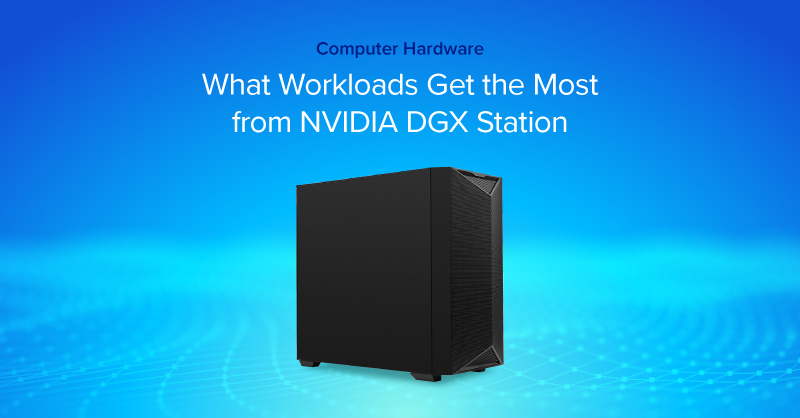
The NVIDIA DGX Station™ is not a workstation in the traditional sense. It is part of a new class of computers, designed from the ground up to build and run AI. DGX Station brings data center-level performance to your desk, designed to run the kinds of AI workloads that normally require a rack of servers and a cloud contract.
It is an expensive, narrow-purpose tool. But for the right user, it solves a real problem: how do you run serious AI workloads privately, at scale, without paying cloud costs indefinitely?
In a nutshell:
The DGX Station is built around NVIDIA's GB300 Grace™ Blackwell Ultra Desktop Superchip (Exxact VWS-158270643), which fuses a 72-core ARM-based Grace CPU and a Blackwell Ultra GPU onto a single chip connected by a 900 GB/s NVIDIA NVLink®-C2C interface. That interconnect is what makes the unified memory architecture work: both the CPU and GPU share the same memory pool rather than treating each side as separate components that pass data back and forth over a slower PCIe bus.
The numbers that matter most for AI work:
One important caveat: the base system has no video output. The GB300 Superchip is a compute-only part. If you want to connect a monitor, you will need to add a GPU with discrete graphics when configuring this system. For most teams, this will be a headless compute node accessed over the network anyway. Supported GPUs include: NVIDIA RTX PRO™ 2000 Blackwell, RTX PRO 4000 Blackwell SFF, RTX PRO 6000 Workstation Edition, RTX PRO 6000 Blackwell Max-Q.
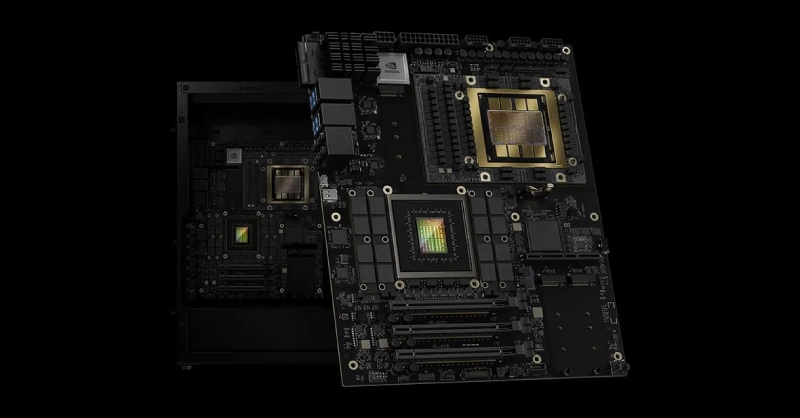
Source: NVIDIA
The most straightforward use case is also the most compelling one for enterprises: running large language models without data leaving your building.
Most high-end consumer workstations, even with an RTX 5090, top out at 32GB of VRAM. A quad-GPU workstation with 4x NVIDIA RTX PRO 6000 Blackwell GPUs reaches 384GB of VRAM. That limits you to models in the 7B to 70B parameter range before you start making serious quality trade-offs through quantization.
The DGX Station's 748GB of unified memory changes that ceiling entirely. A 405B parameter model like Llama 3.1 405B in full BF16 precision requires roughly 810GB of memory. With the unified pool and some optimization, you can run it.
For industries where data privacy is non-negotiable—in healthcare, legal, defense, and finance, for example—the ability to run a frontier-scale model entirely on your own hardware is a requirement, not a luxury.
The open weights ecosystem has matured to the point where models like Meta's Llama 3, Mistral, DeepSeek R1, Qwen, and Google's Gemma are genuinely competitive with many closed API models on standard benchmarks. The difference is that you can download them, modify them, and serve them without API fees, rate limits, or data leaving your infrastructure.
On a consumer GPU, you are typically running quantized versions of these models, often at 4-bit or 8-bit precision, to fit within VRAM constraints. Quantization reduces model quality, sometimes noticeably on complex reasoning tasks. On the DGX Station, you can serve full-precision BF16 versions, which is what the published benchmark numbers are actually measured against. Using a serving layer like vLLM, you can expose these models as an OpenAI-compatible API endpoint on your local network, meaning existing tools and integrations work without modification.
Supplemental takeaways:
If you're doing more than inference—adapting models to your domain—DGX Station is essentially a local training node with enough memory headroom to fine-tune large open models without the usual workstation compromises.
Common fine-tuning workflows it enables:
Why the platform matters:
While DGX Station is easy to frame as an "LLM box," it also maps cleanly to classic deep learning and data science workloads where teams need large, fast memory and predictable throughput.
Strong-fit examples:
For many teams, the practical benefit is simple: a single deskside system can handle both the ETL/feature work (CPU) and the training/inference work (GPU) without pushing everything into a shared cloud environment.
OpenClaw is an open-source AI agent framework built around the idea of a persistent, local-first AI assistant. Unlike a chat interface you open and close, OpenClaw runs continuously in the background, maintains context from your files, emails, and applications, and can autonomously execute tasks like drafting responses, scheduling, and multi-step research combining local documents with web search.
NVIDIA built NeMo™Claw as a dedicated stack for running OpenClaw on their hardware. It installs via a single command and layers three things on top of the base OpenClaw setup:
The DGX Station matters here because OpenClaw's quality scales directly with the size of the model running underneath it. On a consumer GPU you are realistically running a 7B or 13B model as the agent brain, which limits reasoning depth.
On the DGX Station you can run Nemotron 3 Super 120B continuously, with MIG instances available for other parallel workloads alongside it. On NVIDIA's PinchBench, a benchmark designed to measure LLM performance specifically in the OpenClaw agentic context, Nemotron 3 Super scores 85.6%, currently the top result among open models.
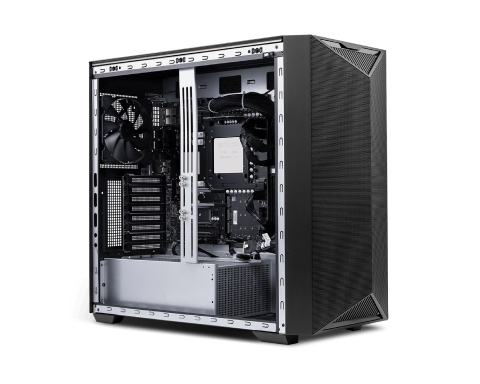
NVIDIA DGX Station delivers data‑center‑class AI performance to a desktop workstation, empowering you to develop, train, and iterate on advanced AI workloads. Bring unprecedented compute power so you can accelerate innovation, scale experiments faster, and turn ideas into impact.
Get a Quote TodayThis machine makes sense for:
Other alternatives to the NVIDIA DGX Station are multi-GPU workstations featuring NVIDIA RTX PRO GPUs. This includes:
The cost for an NVIDIA DGX Station is an investment and worth framing it against the alternative. Cloud based computing and/or API usage.
On-demand H100 GPU instances on AWS (p5.xlarge) run around $10 to $12 per GPU-hour. A team running continuous inference on a large model, or running regular fine-tuning jobs at scale, can reach $8000 - $10,000 on modest usage or $15,000 to $20,000 on high usage per month in cloud GPU spend. At that rate, the DGX Station has drastically lower TCO, paying for itself within the year.
Beyond the math, there is the predictability argument. Cloud GPU availability is not guaranteed, pricing changes, and usage can spike at inopportune times. Owning the hardware means fixed, known compute costs and guaranteed availability.
The DGX Station shifts how AI infrastructure is being thought about. For years, the default assumption was that serious AI computing lives in the cloud or in large on-prem data centers. At Exxact, we have always believed in on-prem computing with our configurable workstations and servers.
What NVIDIA DGX Station offers is to bring AI to the user by giving them both the compute and the access directly: the NVIDIA DGX Spark for individuals and small teams, the DGX Station for teams and labs, and full rack DGX and HGX systems for enterprise scale. The software stack is consistent across all of them.
As an Elite NVIDIA Solutions Partner, Exxact can deliver on all fronts, from proof of concept to full-scale deployment. Talk to an engineer today for more information on the DGX Station as well as DGX Spark and DGX/HGX Blackwell.
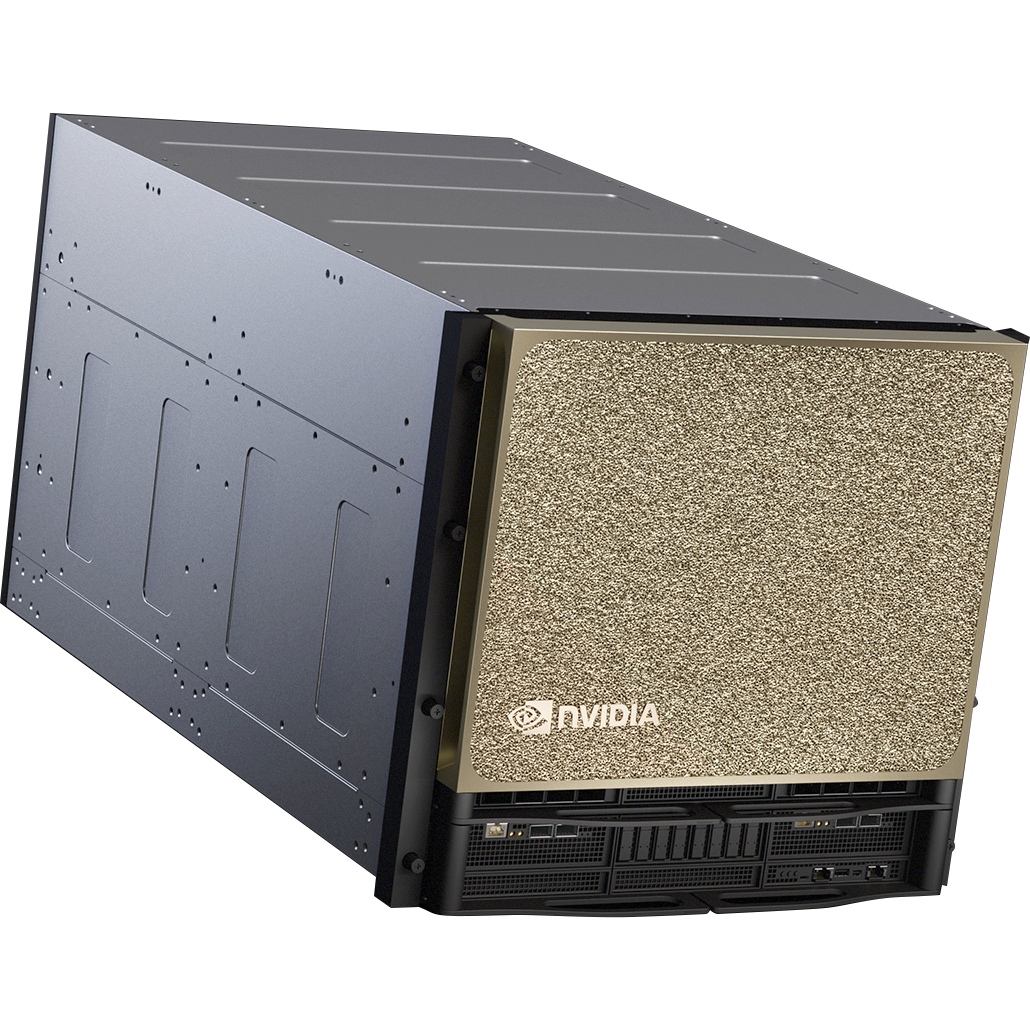
Training AI models on massive datasets can be accelerated exponentially with the right system. It's not just a high-performance computer, but a tool to propel and accelerate your research. Deploy multiple NVIDIA DGX nodes for increased scalability. DGX B200 and DGX B300 is available today!
Get a Quote TodayThe NVIDIA DGX Station™ is not a workstation in the traditional sense. It is part of a new class of computers, designed from the ground up to build and run AI. DGX Station brings data center-level performance to your desk, designed to run the kinds of AI workloads that normally require a rack of servers and a cloud contract.
It is an expensive, narrow-purpose tool. But for the right user, it solves a real problem: how do you run serious AI workloads privately, at scale, without paying cloud costs indefinitely?
In a nutshell:
The DGX Station is built around NVIDIA's GB300 Grace™ Blackwell Ultra Desktop Superchip (Exxact VWS-158270643), which fuses a 72-core ARM-based Grace CPU and a Blackwell Ultra GPU onto a single chip connected by a 900 GB/s NVIDIA NVLink®-C2C interface. That interconnect is what makes the unified memory architecture work: both the CPU and GPU share the same memory pool rather than treating each side as separate components that pass data back and forth over a slower PCIe bus.
The numbers that matter most for AI work:
One important caveat: the base system has no video output. The GB300 Superchip is a compute-only part. If you want to connect a monitor, you will need to add a GPU with discrete graphics when configuring this system. For most teams, this will be a headless compute node accessed over the network anyway. Supported GPUs include: NVIDIA RTX PRO™ 2000 Blackwell, RTX PRO 4000 Blackwell SFF, RTX PRO 6000 Workstation Edition, RTX PRO 6000 Blackwell Max-Q.
Source: NVIDIA
The most straightforward use case is also the most compelling one for enterprises: running large language models without data leaving your building.
Most high-end consumer workstations, even with an RTX 5090, top out at 32GB of VRAM. A quad-GPU workstation with 4x NVIDIA RTX PRO 6000 Blackwell GPUs reaches 384GB of VRAM. That limits you to models in the 7B to 70B parameter range before you start making serious quality trade-offs through quantization.
The DGX Station's 748GB of unified memory changes that ceiling entirely. A 405B parameter model like Llama 3.1 405B in full BF16 precision requires roughly 810GB of memory. With the unified pool and some optimization, you can run it.
For industries where data privacy is non-negotiable—in healthcare, legal, defense, and finance, for example—the ability to run a frontier-scale model entirely on your own hardware is a requirement, not a luxury.
The open weights ecosystem has matured to the point where models like Meta's Llama 3, Mistral, DeepSeek R1, Qwen, and Google's Gemma are genuinely competitive with many closed API models on standard benchmarks. The difference is that you can download them, modify them, and serve them without API fees, rate limits, or data leaving your infrastructure.
On a consumer GPU, you are typically running quantized versions of these models, often at 4-bit or 8-bit precision, to fit within VRAM constraints. Quantization reduces model quality, sometimes noticeably on complex reasoning tasks. On the DGX Station, you can serve full-precision BF16 versions, which is what the published benchmark numbers are actually measured against. Using a serving layer like vLLM, you can expose these models as an OpenAI-compatible API endpoint on your local network, meaning existing tools and integrations work without modification.
Supplemental takeaways:
If you're doing more than inference—adapting models to your domain—DGX Station is essentially a local training node with enough memory headroom to fine-tune large open models without the usual workstation compromises.
Common fine-tuning workflows it enables:
Why the platform matters:
While DGX Station is easy to frame as an "LLM box," it also maps cleanly to classic deep learning and data science workloads where teams need large, fast memory and predictable throughput.
Strong-fit examples:
For many teams, the practical benefit is simple: a single deskside system can handle both the ETL/feature work (CPU) and the training/inference work (GPU) without pushing everything into a shared cloud environment.
OpenClaw is an open-source AI agent framework built around the idea of a persistent, local-first AI assistant. Unlike a chat interface you open and close, OpenClaw runs continuously in the background, maintains context from your files, emails, and applications, and can autonomously execute tasks like drafting responses, scheduling, and multi-step research combining local documents with web search.
NVIDIA built NeMo™Claw as a dedicated stack for running OpenClaw on their hardware. It installs via a single command and layers three things on top of the base OpenClaw setup:
The DGX Station matters here because OpenClaw's quality scales directly with the size of the model running underneath it. On a consumer GPU you are realistically running a 7B or 13B model as the agent brain, which limits reasoning depth.
On the DGX Station you can run Nemotron 3 Super 120B continuously, with MIG instances available for other parallel workloads alongside it. On NVIDIA's PinchBench, a benchmark designed to measure LLM performance specifically in the OpenClaw agentic context, Nemotron 3 Super scores 85.6%, currently the top result among open models.
NVIDIA DGX Station delivers data‑center‑class AI performance to a desktop workstation, empowering you to develop, train, and iterate on advanced AI workloads. Bring unprecedented compute power so you can accelerate innovation, scale experiments faster, and turn ideas into impact.
Get a Quote TodayThis machine makes sense for:
Other alternatives to the NVIDIA DGX Station are multi-GPU workstations featuring NVIDIA RTX PRO GPUs. This includes:
The cost for an NVIDIA DGX Station is an investment and worth framing it against the alternative. Cloud based computing and/or API usage.
On-demand H100 GPU instances on AWS (p5.xlarge) run around $10 to $12 per GPU-hour. A team running continuous inference on a large model, or running regular fine-tuning jobs at scale, can reach $8000 - $10,000 on modest usage or $15,000 to $20,000 on high usage per month in cloud GPU spend. At that rate, the DGX Station has drastically lower TCO, paying for itself within the year.
Beyond the math, there is the predictability argument. Cloud GPU availability is not guaranteed, pricing changes, and usage can spike at inopportune times. Owning the hardware means fixed, known compute costs and guaranteed availability.
The DGX Station shifts how AI infrastructure is being thought about. For years, the default assumption was that serious AI computing lives in the cloud or in large on-prem data centers. At Exxact, we have always believed in on-prem computing with our configurable workstations and servers.
What NVIDIA DGX Station offers is to bring AI to the user by giving them both the compute and the access directly: the NVIDIA DGX Spark for individuals and small teams, the DGX Station for teams and labs, and full rack DGX and HGX systems for enterprise scale. The software stack is consistent across all of them.
As an Elite NVIDIA Solutions Partner, Exxact can deliver on all fronts, from proof of concept to full-scale deployment. Talk to an engineer today for more information on the DGX Station as well as DGX Spark and DGX/HGX Blackwell.
Training AI models on massive datasets can be accelerated exponentially with the right system. It's not just a high-performance computer, but a tool to propel and accelerate your research. Deploy multiple NVIDIA DGX nodes for increased scalability. DGX B200 and DGX B300 is available today!
Get a Quote Today
.jpg?format=webp)
.jpg?format=webp)