Artificial Intelligence
Ollama vs vLLM - Which Fits Your Deployment
May 7, 2026
8 min read

Running large language models locally or on-premises is no longer a niche practice. Researchers, engineers, and development teams are increasingly serving models in-house to maintain data control, reduce cloud costs, and support agentic AI workflows that make dozens of inference calls per task.
Ollama and vLLM are the two most widely adopted tools for this, but they solve different problems. Choosing the wrong one at the wrong stage of deployment creates real performance bottlenecks, and understanding the tradeoffs upfront saves time and avoidable infrastructure issues down the road.
This post breaks down how each tool works, where each fits, and how to make the call.
Ollama is a lightweight, single-command LLM server built on llama.cpp. It uses the GGUF model format, runs on bare metal without containers, and exposes a REST API on localhost with an OpenAI-compatible mode. The install-to-inference experience takes minutes, and no DevOps background is required.
vLLM is a GPU-first LLM inference engine built for throughput and scale. It runs via Docker or a Python environment, serves HuggingFace-format models with support for FP16, AWQ, GPTQ, and NVFP4 quantization, and exposes the same OpenAI-compatible API. Setup requires more configuration, but unlocks capabilities Ollama is not designed to provide.
Ollama processes requests sequentially by default. Under single-user conditions this is fine, but as concurrent users increase, requests queue up and latency compounds. Tuning Ollama for parallelism helps at the margins but does not resolve the underlying architecture.
vLLM was built around two technologies that directly address concurrent load: PagedAttention and continuous batching. Together they allow vLLM to serve many simultaneous requests on the same hardware without the queuing overhead that Ollama introduces.
The practical result is significant. At 128 concurrent connections, vLLM delivers substantially higher throughput and faster time-to-first-token compared to Ollama, which begins to fail requests entirely under that load. One documented case saw an internal knowledge assistant's P95 latency jump from 3 seconds to over a minute when user count grew from 3 to 40 on Ollama. Migrating to vLLM brought P95 latency back to under 2 seconds on the same hardware.
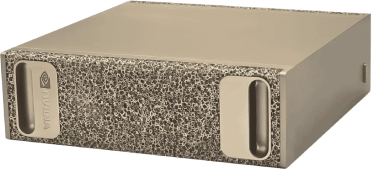
Take enterprise AI anywhere. NVIDIA DGX Spark can power your LLM, Agentic AI, and model prototyping on the go! Harness datacenter power today, available now through Exxact Corporation.
Get a Quote TodayThe numbers below are measured results from a single NVIDIA RTX Pro 4500 (32GB GDDR7) running Llama 3.1 8B. They illustrate how serving stack choice affects throughput, latency, and concurrent capacity on identical hardware.
| Stack | Throughput | TTFT | Concurrent Users at 30 t/s |
|---|---|---|---|
| Ollama (single user) | 134 t/s | ~500ms | 1 (sequential) |
| vLLM BF16 | 2,031 t/s | ~25ms | ~67 |
| vLLM NVFP4 | 4,870 t/s | ~13ms | ~160 |
| vLLM NVFP4 (4x fleet) projected | 19,435 t/s | ~13ms | ~650 |
A few things to note about these numbers:
Agent loops turn serving behavior into a compounding problem. When a workflow needs 20 to 100 sequential model calls, per-step latency and concurrency limits add up quickly. That is where vLLM’s batching and KV-cache efficiency translate into practical time savings.
Raw throughput figures do not communicate much on their own. The table below translates them into 20-step agent completion time, which is a more practical unit for teams running agentic workflows.
| Stack | Per-step inference | 20-step agent, inference only |
|---|---|---|
| Ollama (single user) | ~2-4s per 256-token response | ~60-80s |
| vLLM BF16 | ~0.13s per 256-token response | ~3-5s |
| vLLM NVFP4 | ~0.05s per 256-token response | ~1-3s |
When reading a streamed response, the difference between 25ms and 500ms TTFT is barely perceptible. For an agent making 20 sequential inference calls, that gap accumulates into meaningful task completion time differences.
The benchmarks above use 8B models, but the same hardware can run larger models without moving to the cloud. A 32B model at Q4 quantization fits on a single 32GB card and delivers around 36 t/s on Ollama, fully local with no cloud dependency. For most agentic instruction-following and tool-use tasks, 8B to 14B models are sufficient; 32B is available when reasoning complexity demands it.
Inference time is not the same as total task completion time. Real agent workflows include tool execution, web search, file I/O, and human review, so end-to-end runtime can still be minutes. The goal is to keep inference from becoming the bottleneck, and at these throughput levels, it usually is not.
The choice between Ollama and vLLM is primarily a question of how many users are sharing the hardware and what stage of deployment you are in. The table below captures the most common scenarios.
| Situation | Ollama | vLLM |
|---|---|---|
| Single researcher, personal workstation | Yes | Optional |
| 2-4 researchers, each with a dedicated GPU | Yes, one instance per GPU | Either |
| Shared lab or server, 5+ concurrent users | No | Yes |
| Agentic framework (LangChain, CrewAI, AutoGen) | Yes | Yes |
| NVFP4 or advanced quantization needed | No | Yes |
| No IT or DevOps support available | Yes | With effort |
| Sensitive data, on-prem requirement | Yes | Yes |
A practical approach for most teams is to start with Ollama during local development and prototyping, then migrate to vLLM when concurrent demand or throughput requirements outgrow what Ollama can handle. The migration is a URL change and a model format conversion, not a rewrite. Any agent code running against Ollama works against vLLM without modification once the endpoint is updated.
Popular agentic frameworks including LangChain, LangGraph, CrewAI, and AutoGen connect to both tools through the same OpenAI-compatible API. No framework-level changes are needed when moving between serving stacks.
Choose Ollama for quick local prototyping or a single-user workstation where simplicity matters more than concurrency. Models can be loaded quickly, even for non-technical users.
Use vLLM when multiple users or agents need to run concurrently, or when you need predictable latency and higher throughput. vLLM also supports NVFP4 natively on NVIDIA Blackwell GPUs. Setup is a little more technical but not difficult to learn.
Usually no. Most frameworks can point to either tool via the same OpenAI-compatible API. The main change is the endpoint and model format.
Yes—both can serve models on your own hardware so prompts, context, and outputs stay on-prem
Ollama and vLLM are complementary tools, not competing ones. Ollama removes all friction from getting a model running locally, which makes it the right starting point for most practitioners. vLLM removes throughput and concurrency as limiting factors, which makes it the right infrastructure choice when deployment scales beyond a single user.
The decision point is straightforward. If you are a single user running models on your own hardware, Ollama is sufficient and significantly easier to operate. Once you are sharing hardware across a team, running concurrent agentic sessions, or need predictable latency under load, vLLM is the correct choice. Most teams will use both at different points, and the path between them is intentionally low-friction.
If you have questions on what kinds of models you can run on any given deployments, talk to our engeineers today at Exxact to help build you your GPU system today. Whether it’s an NVIDIA DGX Spark or a node of NVIDIA DGX B300 Servers.
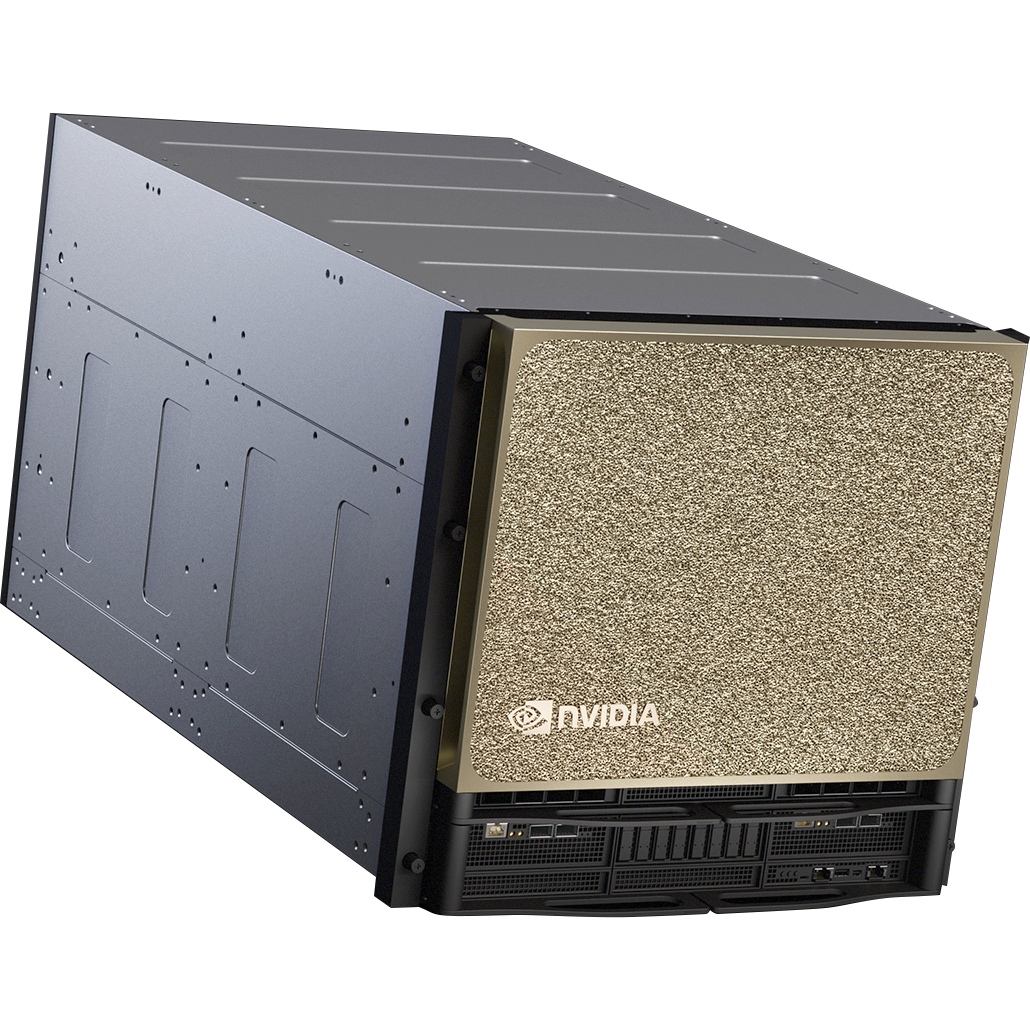
Training AI models on massive datasets can be accelerated exponentially with the right system. It's not just a high-performance computer, but a tool to propel and accelerate your research. Deploy multiple NVIDIA DGX nodes for increased scalability. DGX B200 and DGX B300 is available today!
Get a Quote TodayRunning large language models locally or on-premises is no longer a niche practice. Researchers, engineers, and development teams are increasingly serving models in-house to maintain data control, reduce cloud costs, and support agentic AI workflows that make dozens of inference calls per task.
Ollama and vLLM are the two most widely adopted tools for this, but they solve different problems. Choosing the wrong one at the wrong stage of deployment creates real performance bottlenecks, and understanding the tradeoffs upfront saves time and avoidable infrastructure issues down the road.
This post breaks down how each tool works, where each fits, and how to make the call.
Ollama is a lightweight, single-command LLM server built on llama.cpp. It uses the GGUF model format, runs on bare metal without containers, and exposes a REST API on localhost with an OpenAI-compatible mode. The install-to-inference experience takes minutes, and no DevOps background is required.
vLLM is a GPU-first LLM inference engine built for throughput and scale. It runs via Docker or a Python environment, serves HuggingFace-format models with support for FP16, AWQ, GPTQ, and NVFP4 quantization, and exposes the same OpenAI-compatible API. Setup requires more configuration, but unlocks capabilities Ollama is not designed to provide.
Ollama processes requests sequentially by default. Under single-user conditions this is fine, but as concurrent users increase, requests queue up and latency compounds. Tuning Ollama for parallelism helps at the margins but does not resolve the underlying architecture.
vLLM was built around two technologies that directly address concurrent load: PagedAttention and continuous batching. Together they allow vLLM to serve many simultaneous requests on the same hardware without the queuing overhead that Ollama introduces.
The practical result is significant. At 128 concurrent connections, vLLM delivers substantially higher throughput and faster time-to-first-token compared to Ollama, which begins to fail requests entirely under that load. One documented case saw an internal knowledge assistant's P95 latency jump from 3 seconds to over a minute when user count grew from 3 to 40 on Ollama. Migrating to vLLM brought P95 latency back to under 2 seconds on the same hardware.
Take enterprise AI anywhere. NVIDIA DGX Spark can power your LLM, Agentic AI, and model prototyping on the go! Harness datacenter power today, available now through Exxact Corporation.
Get a Quote TodayThe numbers below are measured results from a single NVIDIA RTX Pro 4500 (32GB GDDR7) running Llama 3.1 8B. They illustrate how serving stack choice affects throughput, latency, and concurrent capacity on identical hardware.
| Stack | Throughput | TTFT | Concurrent Users at 30 t/s |
|---|---|---|---|
| Ollama (single user) | 134 t/s | ~500ms | 1 (sequential) |
| vLLM BF16 | 2,031 t/s | ~25ms | ~67 |
| vLLM NVFP4 | 4,870 t/s | ~13ms | ~160 |
| vLLM NVFP4 (4x fleet) projected | 19,435 t/s | ~13ms | ~650 |
A few things to note about these numbers:
Agent loops turn serving behavior into a compounding problem. When a workflow needs 20 to 100 sequential model calls, per-step latency and concurrency limits add up quickly. That is where vLLM’s batching and KV-cache efficiency translate into practical time savings.
Raw throughput figures do not communicate much on their own. The table below translates them into 20-step agent completion time, which is a more practical unit for teams running agentic workflows.
| Stack | Per-step inference | 20-step agent, inference only |
|---|---|---|
| Ollama (single user) | ~2-4s per 256-token response | ~60-80s |
| vLLM BF16 | ~0.13s per 256-token response | ~3-5s |
| vLLM NVFP4 | ~0.05s per 256-token response | ~1-3s |
When reading a streamed response, the difference between 25ms and 500ms TTFT is barely perceptible. For an agent making 20 sequential inference calls, that gap accumulates into meaningful task completion time differences.
The benchmarks above use 8B models, but the same hardware can run larger models without moving to the cloud. A 32B model at Q4 quantization fits on a single 32GB card and delivers around 36 t/s on Ollama, fully local with no cloud dependency. For most agentic instruction-following and tool-use tasks, 8B to 14B models are sufficient; 32B is available when reasoning complexity demands it.
Inference time is not the same as total task completion time. Real agent workflows include tool execution, web search, file I/O, and human review, so end-to-end runtime can still be minutes. The goal is to keep inference from becoming the bottleneck, and at these throughput levels, it usually is not.
The choice between Ollama and vLLM is primarily a question of how many users are sharing the hardware and what stage of deployment you are in. The table below captures the most common scenarios.
| Situation | Ollama | vLLM |
|---|---|---|
| Single researcher, personal workstation | Yes | Optional |
| 2-4 researchers, each with a dedicated GPU | Yes, one instance per GPU | Either |
| Shared lab or server, 5+ concurrent users | No | Yes |
| Agentic framework (LangChain, CrewAI, AutoGen) | Yes | Yes |
| NVFP4 or advanced quantization needed | No | Yes |
| No IT or DevOps support available | Yes | With effort |
| Sensitive data, on-prem requirement | Yes | Yes |
A practical approach for most teams is to start with Ollama during local development and prototyping, then migrate to vLLM when concurrent demand or throughput requirements outgrow what Ollama can handle. The migration is a URL change and a model format conversion, not a rewrite. Any agent code running against Ollama works against vLLM without modification once the endpoint is updated.
Popular agentic frameworks including LangChain, LangGraph, CrewAI, and AutoGen connect to both tools through the same OpenAI-compatible API. No framework-level changes are needed when moving between serving stacks.
Choose Ollama for quick local prototyping or a single-user workstation where simplicity matters more than concurrency. Models can be loaded quickly, even for non-technical users.
Use vLLM when multiple users or agents need to run concurrently, or when you need predictable latency and higher throughput. vLLM also supports NVFP4 natively on NVIDIA Blackwell GPUs. Setup is a little more technical but not difficult to learn.
Usually no. Most frameworks can point to either tool via the same OpenAI-compatible API. The main change is the endpoint and model format.
Yes—both can serve models on your own hardware so prompts, context, and outputs stay on-prem
Ollama and vLLM are complementary tools, not competing ones. Ollama removes all friction from getting a model running locally, which makes it the right starting point for most practitioners. vLLM removes throughput and concurrency as limiting factors, which makes it the right infrastructure choice when deployment scales beyond a single user.
The decision point is straightforward. If you are a single user running models on your own hardware, Ollama is sufficient and significantly easier to operate. Once you are sharing hardware across a team, running concurrent agentic sessions, or need predictable latency under load, vLLM is the correct choice. Most teams will use both at different points, and the path between them is intentionally low-friction.
If you have questions on what kinds of models you can run on any given deployments, talk to our engeineers today at Exxact to help build you your GPU system today. Whether it’s an NVIDIA DGX Spark or a node of NVIDIA DGX B300 Servers.
Training AI models on massive datasets can be accelerated exponentially with the right system. It's not just a high-performance computer, but a tool to propel and accelerate your research. Deploy multiple NVIDIA DGX nodes for increased scalability. DGX B200 and DGX B300 is available today!
Get a Quote Today